Use a paper footprint to compare keyboard size, mouse space and cable clearance.
Buying guide · No hands-on test claimedMeasure the space you need to type and use the mouse as well as the keyboard itself. A compact keyboard saves width, but a charging connector, raised shelf or busy mouse area can still take up the space you thought you were getting back.
Start with the edge you cannot move
Mark the place where the keyboard needs to sit in front of the screen. Measure from there to the side of the desk or whatever occupies the next part of the work surface. On a keyboard tray, check depth as well. Cable ends and the back edge of the tray may matter more than a few centimetres of width.
As one documented example, Logitech lists its MX Keys Mini for Business at 295.99 mm wide and 131.95 mm deep. Round those numbers to about 296 by 132 mm for a paper layout. That is the published footprint of this example, so check the variant you are shopping for before relying on its dimensions. Logitech MX Keys Mini for Business data sheet.
Use a paper cutout for the actual job
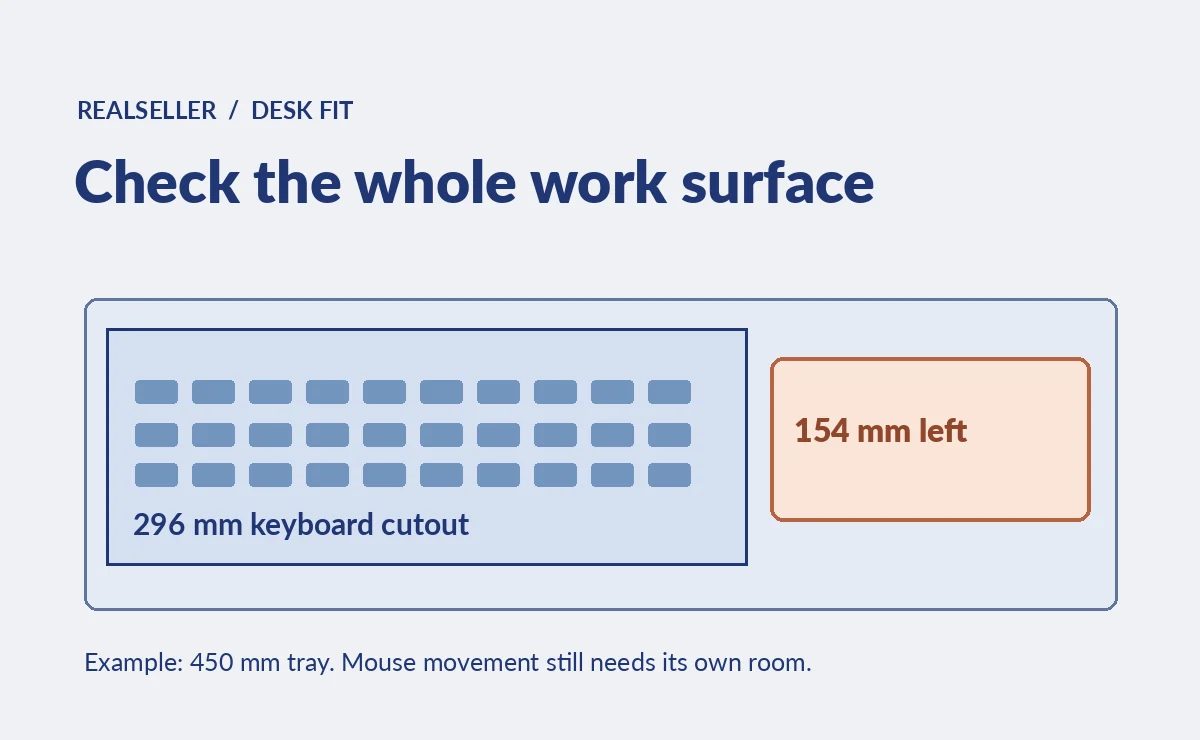
Suppose you have a fictional tray 450 mm wide. A 296 mm cutout leaves 154 mm of tray width, assuming the keyboard can sit flush at one edge. If your mouse movement takes 170 mm on the same tray, you are 16 mm short even before leaving any gap. A narrower keyboard, a wider tray or moving the mouse to the desk surface would each change that calculation.
Now leave a placeholder for a cable at the relevant edge if you will need to use or charge the keyboard there. If a USB plug points towards a shelf, measure the clearance using the sort of cable you intend to use. A cable that fits comfortably on your open desktop can be awkward on a shallow sliding tray.
Try the awkward action before buying
Put the cutout where you would normally type. Reach for the keys and mouse in the layout that leaves room for that day’s other equipment. Try the movement you repeat most often, such as switching between a spreadsheet and your mouse. If you sometimes need a number pad, put its own outline on the tray and see where it fits.
Keep a note with usable width, usable depth and any clearance needed at the connector. It is a better buying comparison than a product’s compact label alone.
Sources & research notes
Source check: . Prices, availability and seller policies can change. Read our methodology.
Useful for your next purchase?